Scriber Pro
Offline AI transcription for macOS
• 4.5hr video → 3.5min. Faster than Rev or Otter.
• More accurate on long context. No 2-hour upload limits.
• 100% offline transcription. Your audio never leaves your Mac.
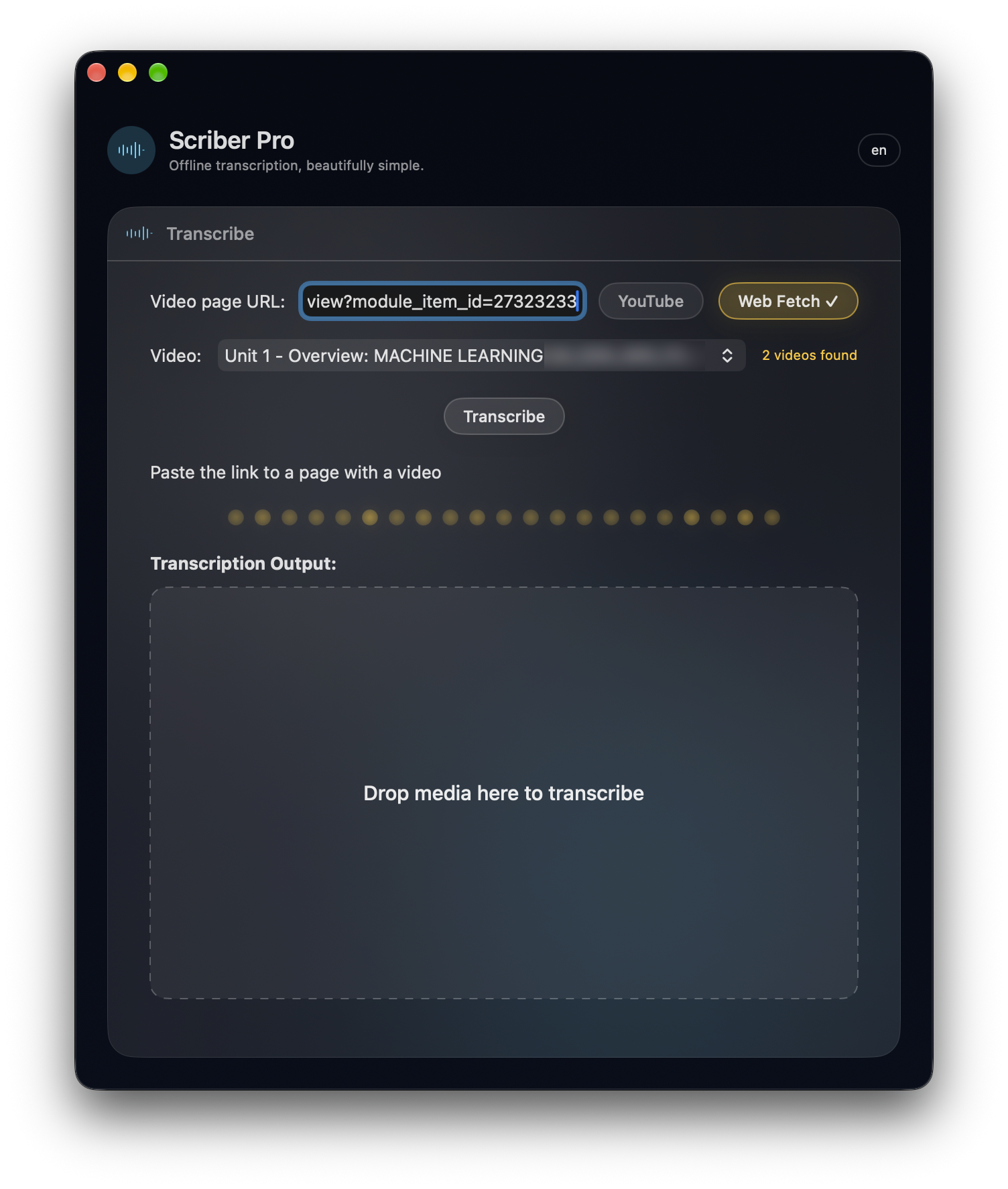
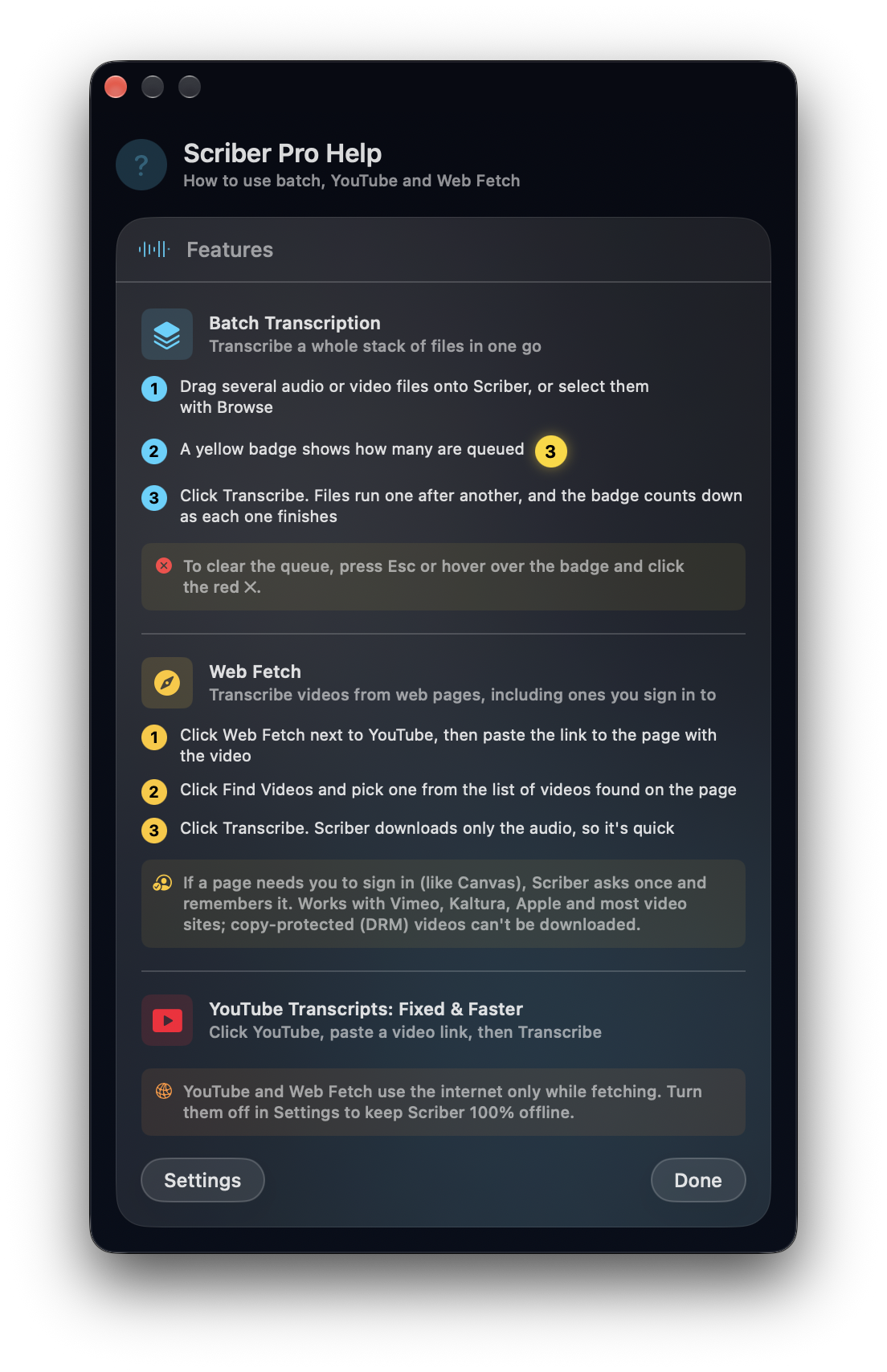
• Now transcribe straight from the web! (M3U8 and video stream support built in)
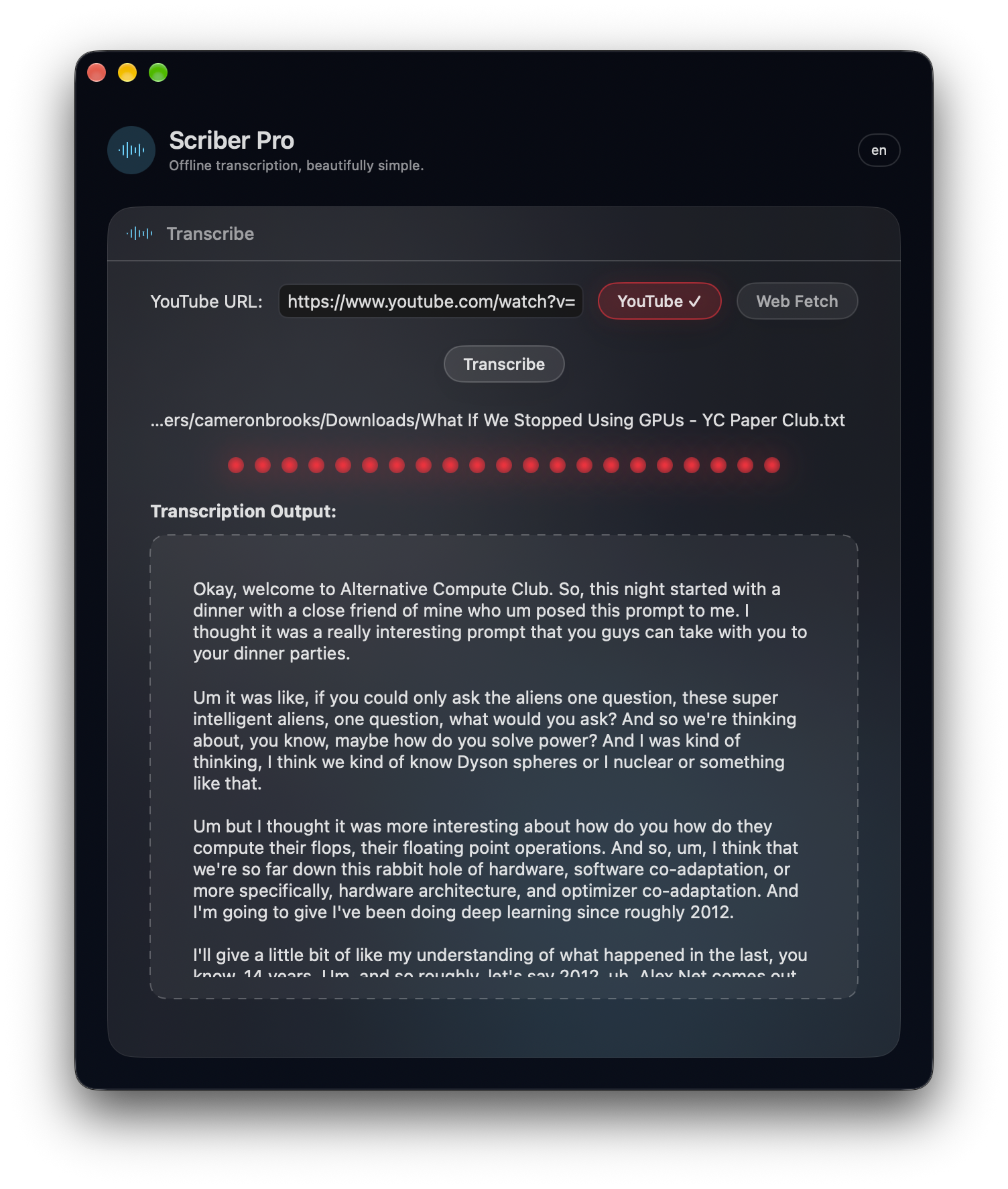
• Get YouTube transcripts (just paste the link)
• Batch transcribe a whole stack of files in one go
First 10 HN readers get Scriber Pro free. 10 remaining.
New since last year: M3U8 streams and YouTube
If you've ever used an m3u8 downloader just to get a lecture or a webinar onto your Mac so you could transcribe it, 2.0 skips that step. Paste the page link into Scriber and it finds the m3u8 (the HLS stream behind many web video players), pulls the audio and transcribes it on your Mac. No more wrestling with Chrome extensions or dev tools just to get a video down.
In plain English: videos that only play in the browser, like online course lectures, webinar replays or an autoplaying clip on a news site, can now be grabbed and transcribed on the spot. The video above shows the original flow (drop in a file, hit Transcribe); the two new buttons are below.
Why Scriber Pro?
- Stupid fast: 4.5hr video → 3.5min. Seriously.
- Common formats: MP3, WAV, MP4, MOV, M4A, FLAC—drop it in, it works.
- Works offline: On a plane. In a coffee shop. No internet, no problem.
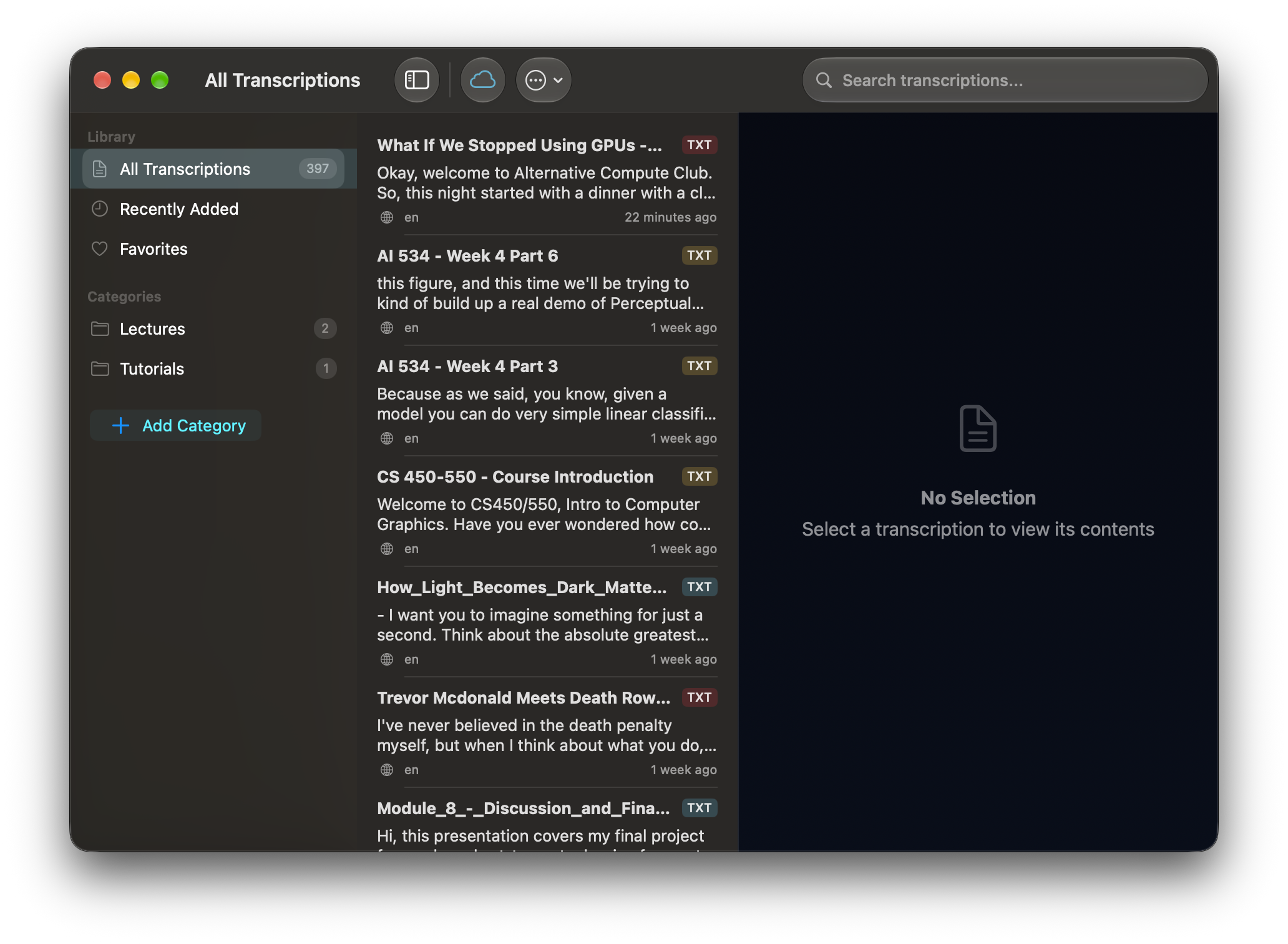
- A library for everything: every transcript is saved to a searchable library with categories and favorites, synced through your iCloud.
- Your data stays yours: Transcription happens on your Mac. No audio uploads, no surveillance.
Export Anywhere
Documents: DOCX, TXT, Markdown, RTF
Contact: [email protected] | Main Site